
What is an AI agent?

An AI agent is a software system that uses AI to interpret information, choose actions and use tools to pursue a goal within defined limits. Unlike a model that only generates an answer, an agent can act on that answer, check the result and decide what to do next.
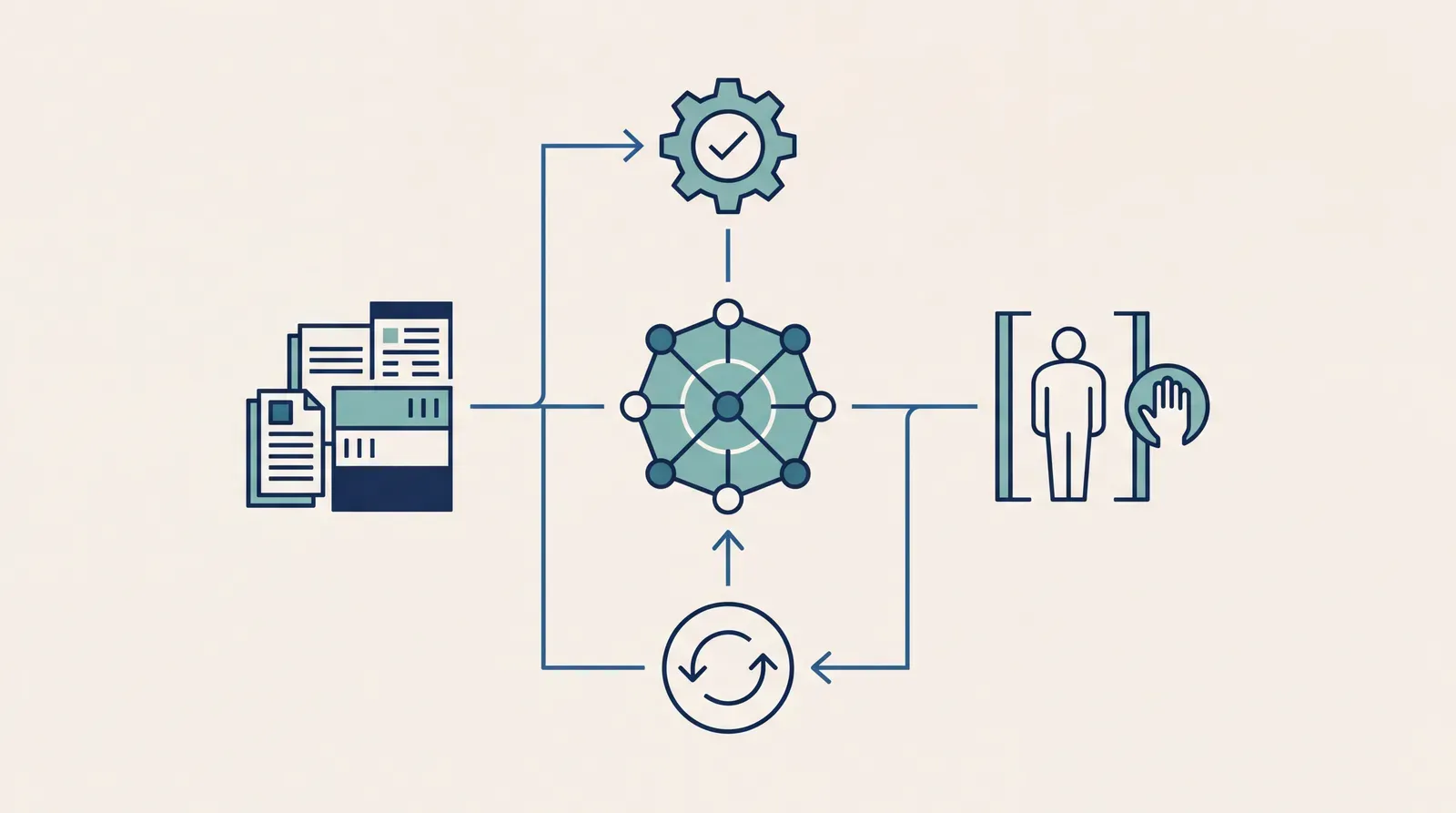
An AI agent is a software system that uses AI to interpret information, choose actions and use tools to pursue a goal within defined limits. Unlike a model that only generates an answer, an agent can act on that answer, check the result and decide what to do next.
How an AI agent works
Imagine a customer emails to ask why an order hasn’t arrived. A conventional chatbot might explain the delivery policy. An agent connected to the right systems could retrieve the order, check tracking information, identify an exception and draft a response. If authorised, it could also open a support case or arrange an approved replacement.
The difference isn’t how human the reply sounds. It’s whether the system can move work forward.
A typical agent combines several elements:
- A goal, such as resolving a delivery query within company policy.
- An AI model that interprets information and selects a next step.
- Tools, such as search, databases, business applications or APIs.
- Working context, including the request, relevant records and previous actions.
- Controls defining permissions, approval requirements and stopping conditions.
The agent operates in a loop: observe, decide, act and evaluate. Some systems also create explicit plans, but not every agent needs elaborate planning or persistent memory.
Crucially, the AI model isn’t the whole agent. The surrounding software handles tool execution, identity, validation and logging. A capable model attached to unreliable integrations still produces an unreliable business system.
How agents differ from chatbots and automation
These categories overlap. A chatbot can provide the interface to an agent, and an agent can call an existing automation. The useful distinction is where decisions happen and how much freedom the system has.
| System | How it selects work | Typical use | Main trade-off |
|---|---|---|---|
| Basic chatbot | Responds to messages | Answer policy questions | Limited action capability |
| Rules-based automation | Follows predefined rules | Route standard invoices | Brittle with exceptions |
| AI-assisted workflow | Uses AI at fixed stages | Extract and classify documents | Routing stays predefined |
| AI agent | Selects actions within limits | Investigate service exceptions | Needs stronger oversight |
A workflow that summarises a document and emails the summary isn’t necessarily an agent. If every step is fixed, it’s better understood as AI-enabled automation. An agent has some discretion over which action to take next, based on what it encounters.
That doesn’t make agents inherently better. Predictable work often benefits from predictable rules. If you’re comparing approaches, understanding the difference between RPA and AI automation helps separate genuine flexibility from unnecessary complexity.
The strongest design is often hybrid: deterministic software enforces policy, while AI interprets messy inputs or recommends the next action.
When the meaning and value change
“Agent” is used loosely, so don’t buy the label. Ask what the system can access, which decisions it makes and what it can change without approval.
A read-only research agent has a different risk profile from one that can issue refunds. Both may qualify as agents, but they need different controls.
Advisory agents
These gather information, investigate a problem or prepare recommendations. People remain responsible for executing consequential actions. They’re useful when research is time-consuming but decisions require judgement or formal accountability.
Read-only doesn’t mean risk-free. An agent can still expose confidential information or produce a persuasive but incorrect recommendation.
Agents with bounded execution
These can perform specific actions within a restricted scope. For example, an internal service agent might reset an eligible account after identity checks, but escalate privileged-access requests.
This is often a practical starting point: narrow permissions, clear policies and a recoverable outcome.
More autonomous and multi-agent systems
Some systems pursue longer tasks with fewer human interventions. Others distribute work among specialised agents. Those designs can be useful, but they introduce coordination overhead, more failure paths and harder debugging.
More autonomy isn’t automatically more value. For payments, employment decisions, safety-critical operations or other consequential activities, stronger validation and meaningful human oversight may be necessary. Applicable obligations vary by jurisdiction and use case.
Where AI agents create business value
Agents are most useful when a task combines variable inputs, several information sources and a limited set of permissible actions. Think service exceptions, internal IT support, procurement research or investigating mismatches between records.
They are less attractive when the task is already handled reliably by a simple rule, when the underlying data is inaccessible, or when mistakes are difficult to detect and reverse.
Start with the operational bottleneck, not an ambition to “deploy agents”. Our guide to choosing your first AI use case explains how to ground that choice in business need.
Measure completed work rather than impressive demonstrations. Useful measures include resolution time, exception rate, rework, cost per successful outcome and the proportion of cases requiring intervention. Faster responses aren’t a win if they create more downstream corrections.
What controls an AI agent needs
An agent that can act also has more ways to cause damage. Incorrect reasoning can become an incorrect system update. Malicious instructions hidden in retrieved content can attempt to redirect its behaviour.
The OWASP guidance on excessive agency highlights risks associated with excessive functionality, permissions and autonomy. The practical response is to restrict all three, rather than trusting a prompt to keep the system safe.
Before an agent gets production access
Approval must be meaningful. A person clicking through an unclear request isn’t effective oversight. Show the proposed action, relevant evidence and likely consequences before asking for authorisation.
The NIST AI Risk Management Framework provides a broader structure for governing, mapping, measuring and managing AI risks. Use that lifecycle approach: assess the system before deployment, then keep evaluating it as models, data and workflows change.
How to introduce an agent into your organisation
Choose one bounded workflow with a clear owner. Define the trigger, acceptable outcomes, permitted actions and escalation conditions before selecting technology.
Next, establish a baseline using the existing process. Build a test set containing ordinary cases, ambiguous requests, missing data and attempts to bypass instructions. Evaluate whether the agent chooses the right actions, not just whether its final answer sounds convincing.
Begin in a sandbox or shadow mode, where proposed actions don’t change live systems. Introduce limited production access only after testing, then expand permissions when evidence supports it. Keep rollback and manual handling available.
Include integration, monitoring, review and maintenance in the business case. The guide to calculating AI project ROI can help connect those costs to operational benefits. Assign an owner for ongoing quality, permissions and incident response; deployment isn’t the finish line.
An AI agent earns its place by improving a real workflow, not by appearing autonomous. Discover how AI can create measurable business impact and start your transformation journey with epoqx, with practical implementation grounded in your people, processes and goals.
FAQ
- Does an AI agent need access to company data?
- Only when its task requires it. A research agent might use public information, while an operational agent may need tightly scoped access to internal records; neither should receive unrestricted access by default.
- Should we build an AI agent or buy an existing product?
- Buy when an existing product fits your workflow, integration requirements and controls. Consider a custom implementation when your processes or constraints create requirements that standard products can't meet, and assess the full operating cost in either case.
- How should we test an agent before giving it live access?
- Use a sandbox with representative cases, exceptions and adversarial inputs, then assess tool selection, action accuracy and escalation behaviour. Shadow mode can show how it would behave on real work without allowing it to change production systems.
- Who should be accountable when an AI agent makes a mistake?
- Assign a business owner for outcomes and named technical owners for system operation and incident response. An agent doesn't take organisational accountability away from the people who authorise and operate it.